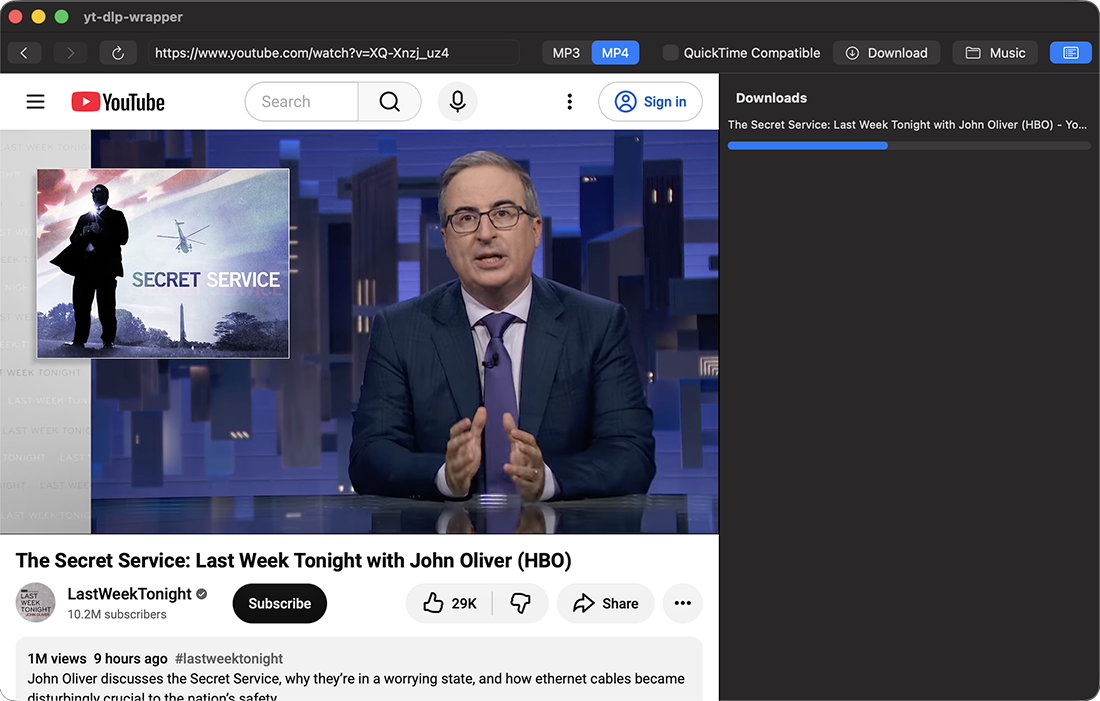
I built a GUI frontend to the the classic command line utility yt-dlp to help my dad use it. yt-dlp downloads audio or video from youtube.com and other sites. This app sits atop the command line tools, so it requires brew, yt-dlp, and ffmpeg. luckily, it is easily done with a few commands and the GUI wrapper guides you though it. These projects do all the real work. Upgrades to the yt-dlp are also occasionally required to keep up with the cat & mouse game with the streaming providers. I hope you find this useful, you can download it here. let me know what you think. product page.
One safeguard worth considering for a tool aimed at nontechnical users is the difference between a single video URL and a playlist. A copied watch URL can contain both v= and list= parameters, so the download screen should make the scope explicit before starting. For a single-video button, yt-dlp’s –no-playlist avoids unexpectedly queuing the whole playlist. You could offer playlist mode separately with the item count shown first. Disclosure: I run AI Video Download. This is a suggestion based on the workflow described here.