
This is actually my first go at using this little trick. I only noticed it a few years ago. i haven’t had a need to use it. Until now. i am so delighted that Synology continues to innovate. Every time i deploy a Synology, it has even more functionality. i am not getting paid for this, honest endorsement. I only wish they made direct attached storage or SANs. I do not mean to imply that i have a problem with NAS.
I am not only upgrading the capacity, but the throughput and seek times as well. With dual drive protection, it will be a few redundancy passes before i see any additional storage and probably even longer before i will see much more performance. it will be an interesting project. The process so far has been simple. i just deactivated the outgoing drive and replaced it with the new bigger faster drive. Once that is done, you repair the volume with the new disk and wait. And wait. Eventually do it all again. And again.

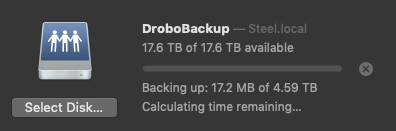


 For years now I have been terrified of one particular network device. This high end device requires a service contract from it’s manufacturer to be eligible for software upgrades and as such had been neglected for some time. I couldn’t use it the way I wanted or hardly at all for fear that it would be compromised via the Heartbleed vulnerability. Forced to relegate this amazing appliance to be firewalled far from the prying packets of the Internet at large.
 Apparently, apple offered optional SSDs at the time of purchase, but the space and sata ports are available in all 2011 iMacs. You will need some custom cables and a bracket (or double stick tape) to complete the install. It is also a pain in the ass (requires a full Logic Board removal) to run the cable to the board. Not recommended for novices, but its incredibly cool to have both the speed of SSD and the capacity of a mechanical drive, all inside the iMac.
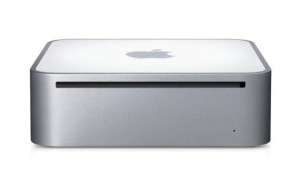 Turns out the hard drive I thought was due to fail, had actually failed. The nice thing is that I wanted to rebuild it anyway and I will never have to open this Mini again. Maxed the RAM and installed a SSD drive.